
Why use an alpha overlay instead of burned-in MP4s
A burned-in MP4 is the fastest way to publish a finished Short, but it bakes the text permanently into the video frames. Exporting a transparent caption overlay keeps your typography on its own isolated video track inside your NLE.
You can adjust colour grades, swap B-roll underneath the captions, duck audio or mask foreground objects without re-uploading or re-rendering your whole project in a cloud app. Cuecaps handles the tedious part—transcribing, frame-accurate word timing on a waveform, and word-by-word animation—while your editor handles the cut.
MOV (PNG alpha) vs. WebM (VP9 alpha)
- Transparent MOV (PNG codec in QuickTime): Built for professional NLEs including Premiere Pro, DaVinci Resolve, Final Cut Pro and After Effects. Because it stores a lossless PNG with a full alpha channel for every frame, outlines, soft drop shadows and semi-transparent background boxes render with clean edges.
- Transparent WebM (VP9 codec with alpha): Produces much smaller files suited for OBS Studio, web video players and supported builds of CapCut desktop (falls back to VP8 if your browser doesn't encode VP9).
- File size & edge notes: Because PNG-in-MOV is uncompressed frame-by-frame alpha, expect roughly 48 MB per 26 seconds at 1080 × 1920. If your caption style uses a bright white outer glow or very soft light shadow, choose MOV (WebM's alpha compression slightly darkens semi-transparent white edges). Some versions of CapCut render WebM alpha as black, so test a 5-second clip first.

How to generate and import the overlay
- Open the studio and select your exported sequence or audio bounce (an MP3 or WAV works too, since the overlay only needs your voice timing).
- Click Find words. Choose On this device (free, unlimited, local) or Cloud (ElevenLabs Scribe v2 across 90+ languages, best for background music and fast speech).
- Correct any words in the transcript, fine-tune timing on the waveform and choose one of the ten animated presets or customize your own.
- Match your sequence aspect ratio under Layout: 9:16, 16:9, 1:1 or 4:5.
- Click Export and select Transparent MOV or Transparent WebM. Match your timeline's resolution (720p or 1080p on Creator; up to 1440p and 4K on Pro) and exact frame rate (24, 25, 30 or 60 fps).
- Import the exported file into your video editor and place it on the track directly above your footage (e.g. V2 above V1), aligned with the first frame.
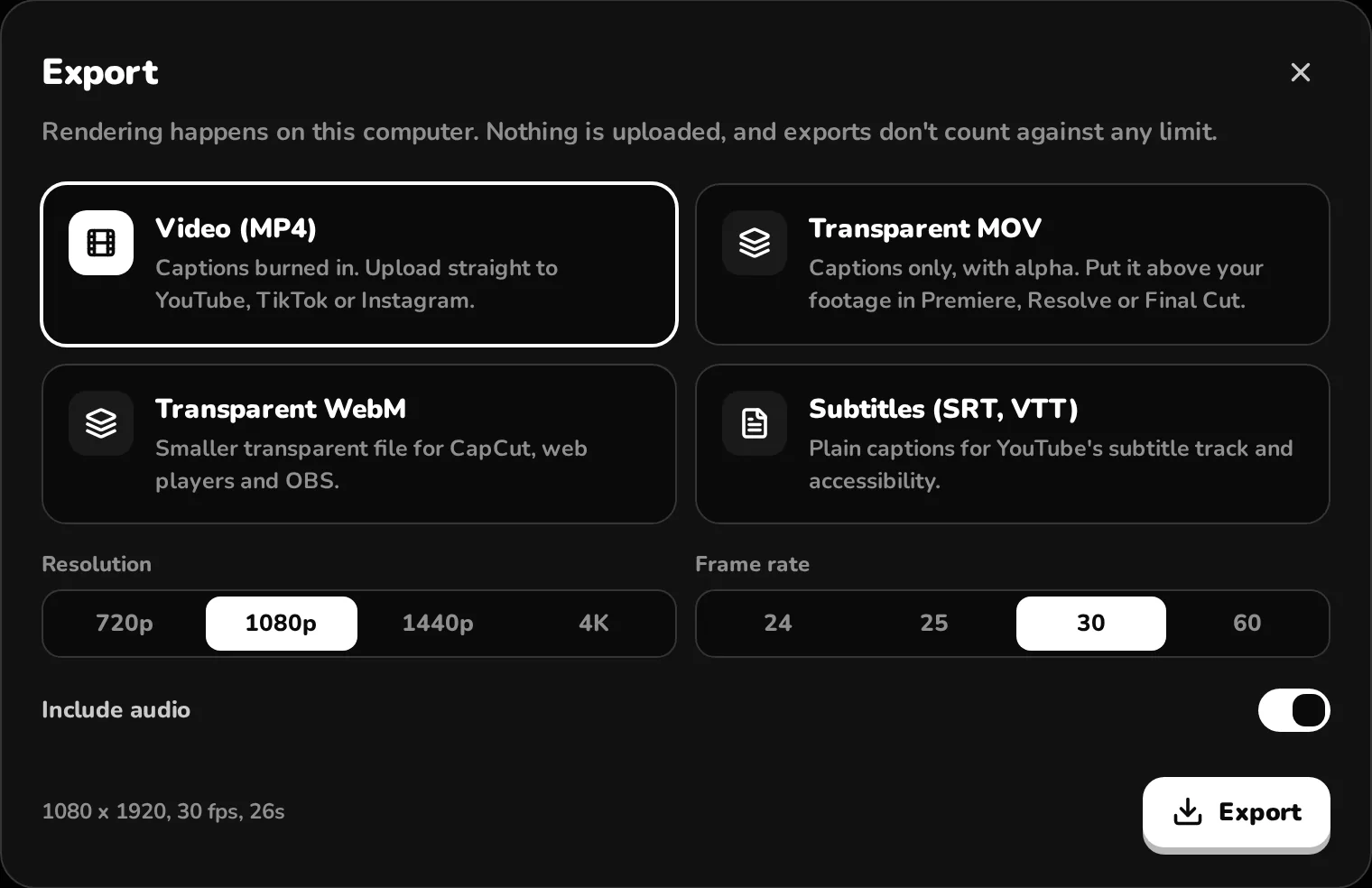
Every frame is rendered locally in your browser, so your footage is never uploaded and exports are unlimited. Transparent MOV and WebM exports are included on the Creator and Pro plans.
Keeping word timing frame-accurate
Your exported overlay has the exact duration of the media file you opened in Cuecaps, starting at frame zero. Align its first frame with the start of your sequence on the timeline and every word will land on the exact frame it was spoken.
Best practice: lock your picture edit first, exporteither the video or a fast audio-only WAV/MP3 bounce, and caption that file in Cuecaps. If you make a trim later, either make the same cut across both tracks in your NLE or re-export from your saved Cuecaps project.
What's included on the Free plan
Transparent MOV and WebM overlays are part of Creator (€9 a month) and Pro. On the Free plan, you get unlimited on-device transcription, 10 cloud minutes a month, burned-in 1080p MP4 exports (with a small “Made with cuecaps.com” mark), and unwatermarked SRT and VTT subtitle files for your editor's native caption track.
Questions
Why is the Transparent MOV file much larger than an MP4?
To preserve a clean alpha channel with soft shadows and anti-aliased edges across Premiere, Resolve and Final Cut, the MOV container stores a lossless PNG image per frame—roughly 48 MB for a 26-second 1080 × 1920 clip. If you need a lightweight file for OBS or web playback, choose Transparent WebM.
Which frame rate should I pick when exporting?
Always match your NLE sequence frame rate (24, 25, 30 or 60 fps). Matching the frame rate ensures every word pop and highlight lands cleanly on a sequence frame boundary.
Does the transparent overlay contain an audio track?
Transparent MOV exports are video-only so they never double up the audio on your timeline. Transparent WebM gives you an Include audio toggle—leave it switched off when using the file as an NLE overlay.
Can I update a typo or style after placing the overlay in my editor?
Yes. Your project stays saved in Cuecaps. Open it, edit the word or switch presets, export a new MOV and use Replace Footage in Premiere or Resolve—the overlay updates in place on your timeline.
Try it on your video
You can also drop a file anywhere on this page. Or tryTry the demo clip