
What stays on your computer
- Your source video files (up to 4 GB): read directly from your local disk and rendered frame by frame inside your browser.
- Your final exports: burned-in MP4s, transparent MOV/WebM overlays and SRT/VTT files are encoded on your machine and saved straight to your downloads folder.
- Your local projects and custom font files (TTF, OTF, WOFF): stored in your browser's local IndexedDB database unless you enable cross-device sync on Creator or Pro.
Because your own computer handles the video rendering, you skip multi-gigabyte upload queues, avoid cloud re-encoding quality loss, and get unlimited exports on every plan.
On-device transcription: zero network transfer
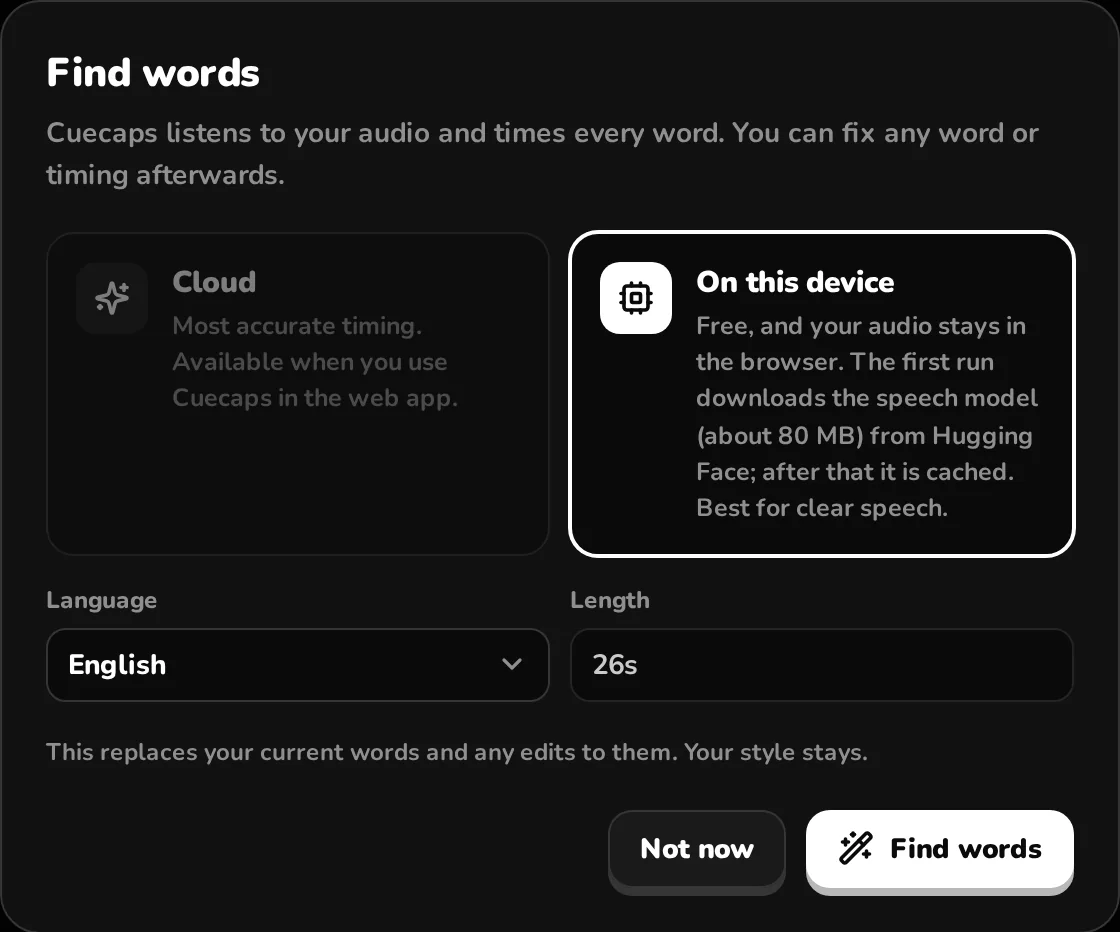
Select On this device in the Find words dialog to run a Whisper speech-recognition model locally inside your browser tab across 20+ languages. Your audio is never transmitted over the network, and usage is free and unlimited—even without an account.
On your first run, your browser downloads the speech model (~80 MB from Hugging Face) and runtime library (from jsDelivr) and caches them locally. Those CDNs see a standard file download request from your IP address, never your media or transcript. Subsequent transcriptions start immediately from cache.
On-device transcription excels on clean studio microphones and voiceovers. When your clip has heavy background music, overlapping noise or thick accents, switch to Cloud transcription.
Cloud transcription: audio-only, deleted after processing
When you choose Cloud transcription, Cuecaps extracts just the audio stream in your browser, compresses it to lightweight speech audio and uploads only that small audio file to a private EU bucket (Frankfurt). It is processed by ElevenLabs Scribe v2 across 90+ languages and deleted from our storage the moment your word timings return (any interrupted upload is purged within 24 hours).
Transparency note: ElevenLabs processes the audio under its commercial API terms and may retain request logs under its own policy. For strict NDA or embargoed projects where not even audio may leave your machine, use On this device.
Who local browser captioning is built for
- Agencies and freelance editors working with confidential client footage, unannounced product launches or NDA interviews.
- Creators working with heavy 1080p or 4K source files where uploading gigabytes to a cloud editor takes longer than editing the video.
- Editors on slow, tethered or metered internet connections who want zero upload bandwidth consumption.
Questions
Does Cuecaps store my transcripts on a server?
Not on Free or guest sessions—everything lives in your browser's local storage. On Creator and Pro, if you use project sync, we store the transcript text, word timings, style settings and file metadata in our EU database so you can pick up editing on another computer, never the video or audio file itself.
How does on-device accuracy compare with cloud transcription?
On clear, single-speaker voice tracks, on-device Whisper is fast and accurate. For background music, noisy locations, crosstalk or 90+ language support with custom vocabulary hints, Cloud (ElevenLabs Scribe v2) is noticeably stronger. You can run both on the same clip to compare.
Do I need an account to test local captioning?
No. Open the studio, drop in a video and run on-device transcription as a guest. You only create a free account when you want to export your file or use your free monthly cloud minutes.
Try it on your video
You can also drop a file anywhere on this page. Or tryTry the demo clip