

Word-by-word captions, made in your browser
Drop in a Short. Cuecaps finds every word, times it to the frame and animates it in the style you pick. Export an MP4 for YouTube, TikTok and Reels, or a transparent overlay for your editor.
You can also drop a file anywhere on this page. Or try the demo clip
Cuecaps runs on a computer, where there’s room for the preview, transcript and timeline side by side.
- Try it without an account
- Your video stays on your computer
Style
Transcript
Every step in fifteen seconds
Every word found and timed, a style picked from ten, an MP4 exported. The captions in this film were drawn by the same renderer that runs in the studio.
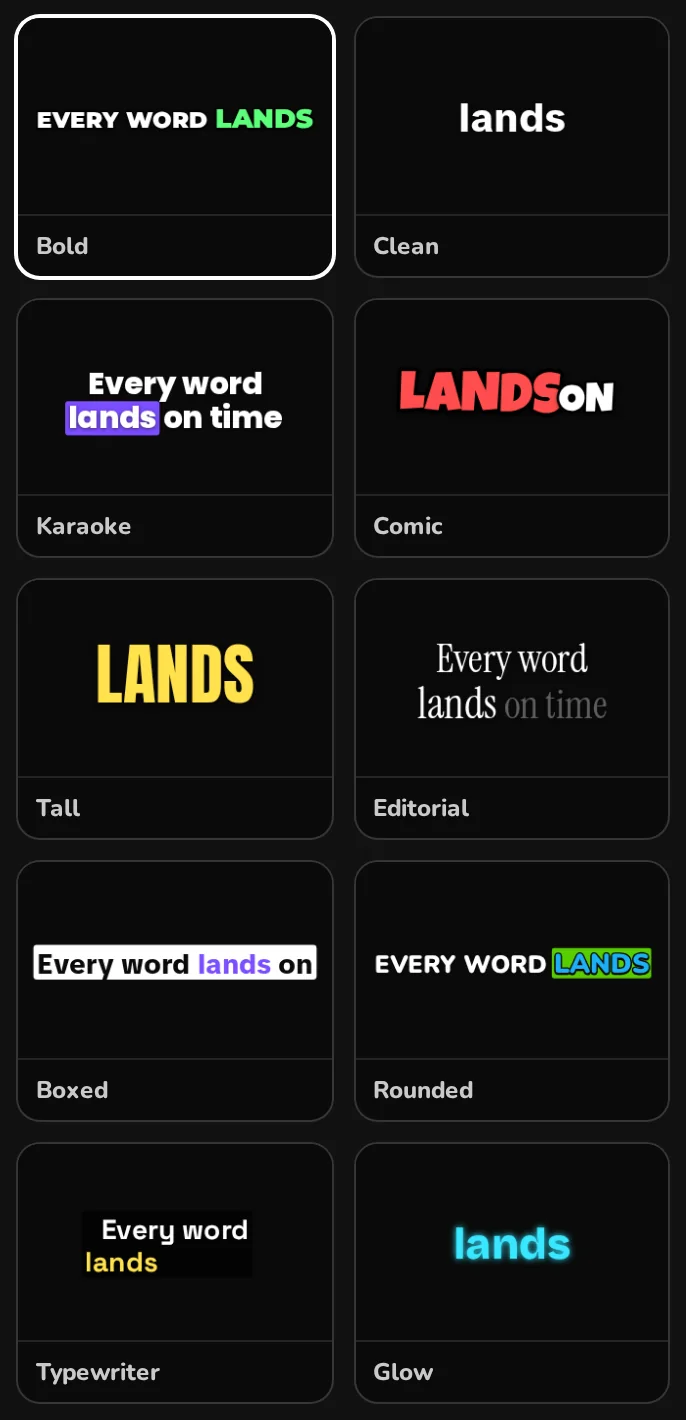
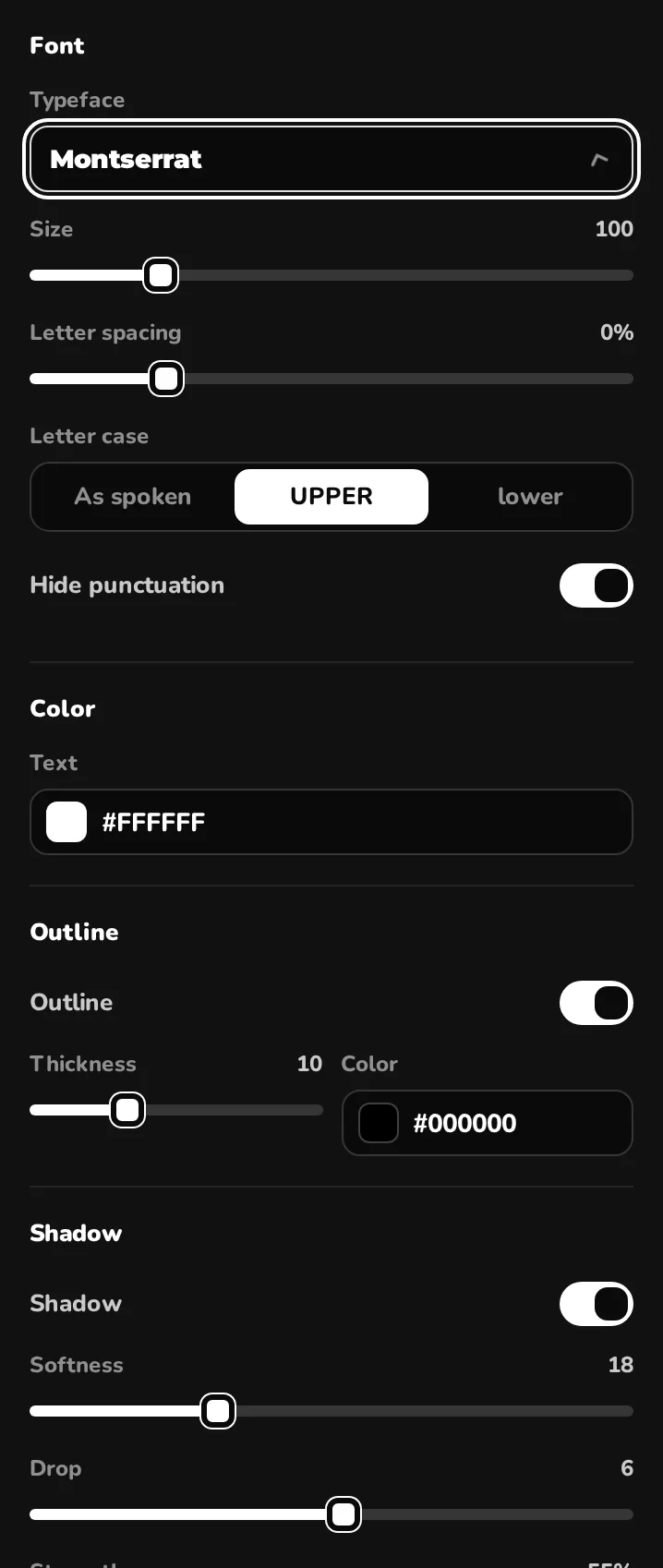
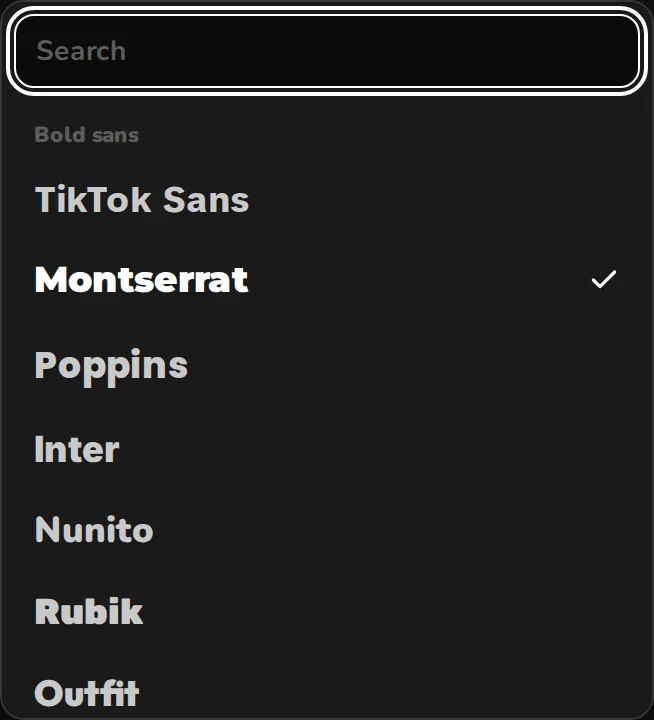
Ten styles. Every setting yours.
- 24 fonts licensed for video, from TikTok Sans to Anton to Instrument Serif. Upload your own TTF, OTF or WOFF on Creator and Pro.
- 8 entrances: pop, punch, bounce, rise, slide, fade, focus, typewriter.
- 5 ways to mark the spoken word: colour it, box it, grow it, dim the rest, or reveal words as they’re said.
- Outline, shadow, background box, letter case, one word or phrases of up to ten, one or two lines.
- Save a style as a preset and reuse it on every video.
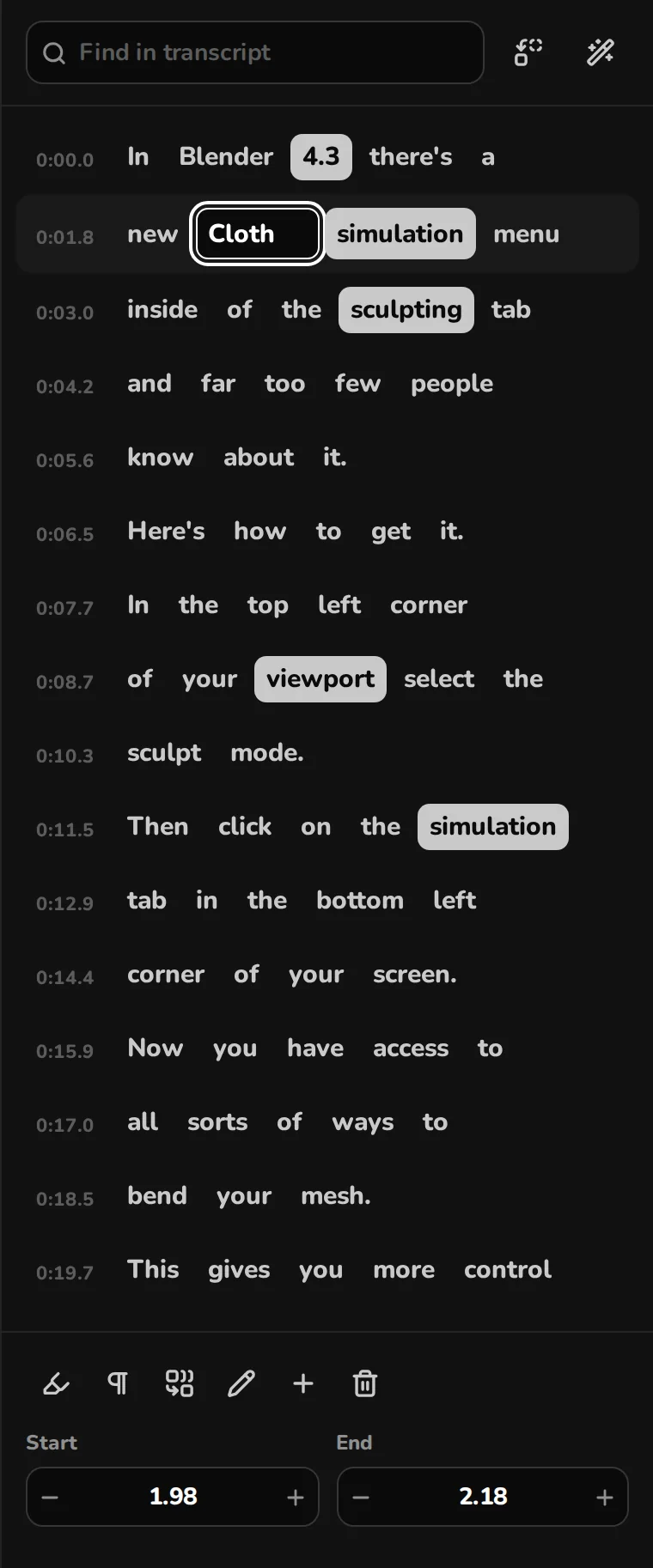
Fix any word
- Click a word and type. Typing a space splits it into two words, with the timing divided between them.
- M merges a word with the next one, so “New York” appears as one. E marks a word for emphasis. B starts a new caption after it.
- Find and replace across the whole transcript, for the name the transcription always misspells.
- Auto-pick emphasises numbers, prices and long words, spaced so every caption doesn’t shout.
Timing you can see
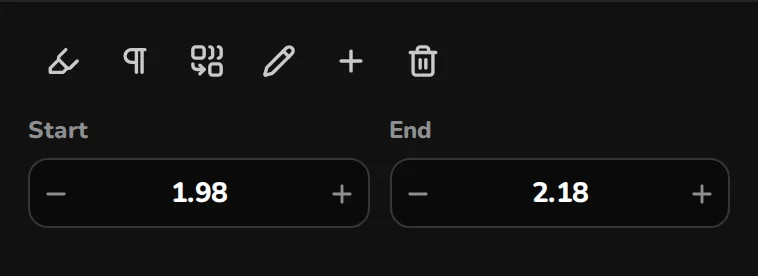
Every word is a block on the waveform. Drag its edges to where the sound starts and stops, or nudge it by 10 ms from the keyboard. The export uses the same timing, frame for frame.

Two ways to find words
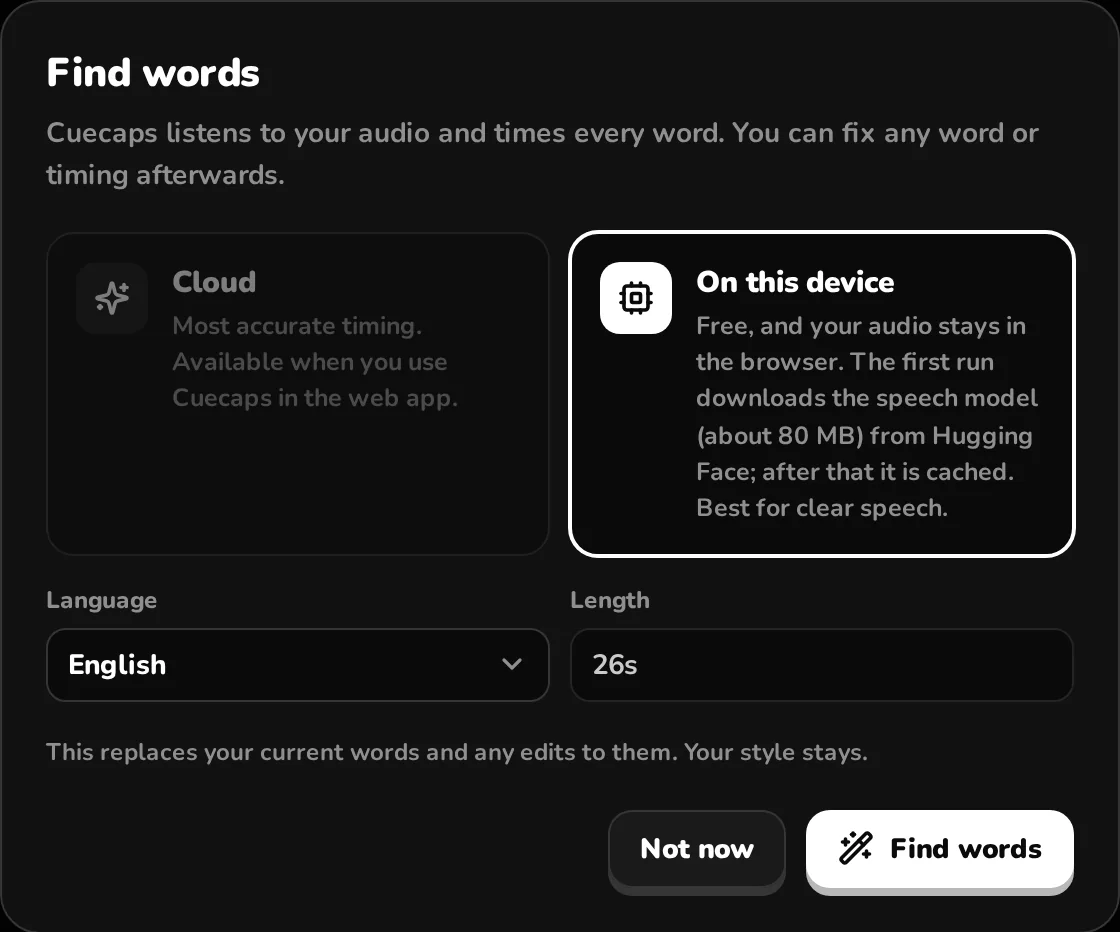
- On this device: free and unlimited, with or without an account. A speech model runs in your browser tab, so the audio stays on your computer.
- Cloud: ElevenLabs Scribe v2 in 90+ languages, with more accurate timing than the on-device model. 10 minutes a month on Free, 300 on Creator, 1,200 on Pro.
- Type names and terms before transcribing to help the cloud model spell them your way.

Export for where it's going
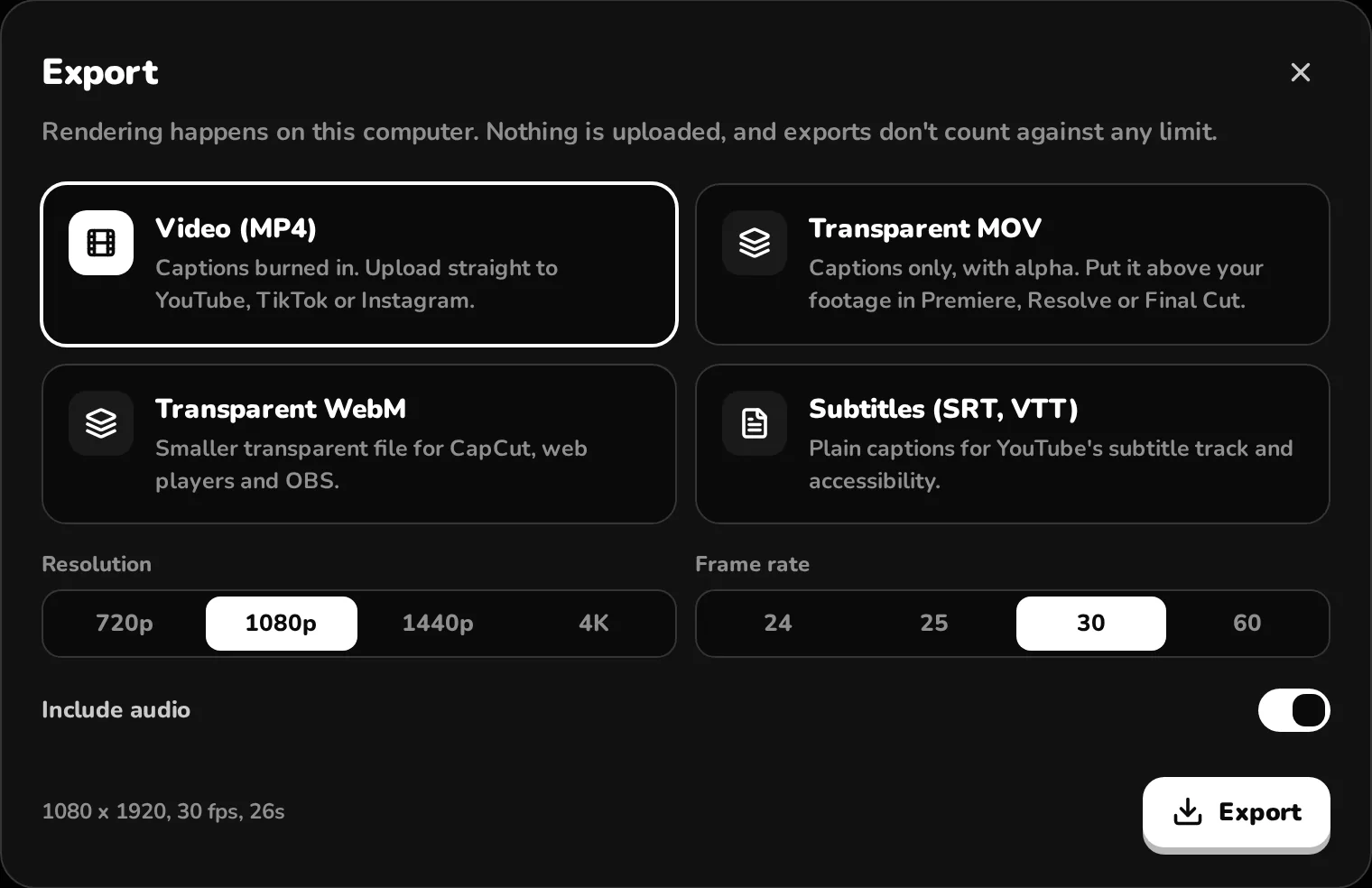
| MP4 | Captions burned into your video, with its sound. Upload straight to YouTube, TikTok or Instagram. |
|---|---|
| MOV with alpha | Captions only, PNG codec. Put it on the track above your footage in Premiere Pro, DaVinci Resolve or Final Cut Pro. |
| WebM with alpha | Captions only, VP9. Smaller, for CapCut, OBS and web players. |
| SRT and VTT | Plain subtitles for YouTube’s caption track. |
| Size | 9:16, 16:9, 1:1 or 4:5 at 720p or 1080p; 1440p and 4K on Pro. 24, 25, 30 or 60 fps. |
Try it on your videoExports need a free account.
Made by a Blender creator
Cuecaps is built by Jens, who posts Blender tutorials as YouTube Shorts and captions them here. This Short about Megascans pricing was captioned with the Karaoke preset, and the cloth-simulation clip at the top of this page is his too.
Your video never uploads
Previews and exports are drawn in your browser, which is also why exports are unlimited on every plan. Cloud transcription sends only the audio, compressed to speech quality, and deletes it when the words come back.
Pay for minutes, not exports
Free
For trying it and the odd Short.
- Unlimited on-device transcription
- 10 cloud minutes a month
- All presets, fonts and animations
- 1080p MP4 and SRT/VTT export
- Small “Made with Cuecaps” mark
Creator
For weekly Shorts. 300 minutes is about 300 one-minute Shorts a month.
- 300 cloud minutes a month
- No watermark
- Transparent MOV and WebM overlays
- Upload your own fonts
- Projects and presets synced across devices
Pro
For daily uploads, long videos and 4K. 1,200 minutes is 20 hours of audio.
- 1,200 cloud minutes a month
- Everything in Creator
- 1440p and 4K export
- Priority email support
Prices include VAT. Cancel any time from your account page; your plan runs until the end of the period you paid for.
Questions before you start
Can I try it without an account?
Yes. Open the studio, drop in a video and caption it with on-device transcription. You only need an account to export or to use cloud transcription, and the free account is enough for both. Your project comes with you when you create it.
Do I need to install anything?
No. Cuecaps runs in a recent version of Chrome, Edge or Safari on a computer. It doesn't work well on phones, because the studio needs room for the preview, transcript and timeline side by side.
Does my video get uploaded?
No. Previews and exports are drawn in your browser. Cloud transcription sends only the audio track, compressed to speech quality, and deletes it once the words come back. On-device transcription sends nothing.
What counts as a cloud minute?
One minute of audio sent to cloud transcription. A 90-second clip uses 1.5 minutes. Editing, previewing and exporting never use minutes, and neither does on-device transcription. Free includes 10 minutes a month, Creator 300, Pro 1,200.
Cloud or on-device: which should I use?
Cloud (ElevenLabs Scribe v2) is more accurate with accents, music under the voice and fast talkers, and supports 90+ languages. On-device runs a Whisper model in your browser for free; it works best on clear speech and downloads about 80 MB the first time.
What happens when I run out of minutes?
Cloud transcription pauses until your minutes reset, and on-device transcription keeps working. You can switch to a bigger plan at any time.
Which editors can import the transparent overlay?
The MOV export uses the PNG codec with an alpha channel, a QuickTime format read by Premiere Pro, After Effects, Final Cut Pro and DaVinci Resolve. The WebM export uses VP9 with alpha for CapCut, OBS and web players.
Is there a watermark?
Free exports carry a small “Made with Cuecaps” mark in the corner. Creator and Pro exports have none.
How do billing and cancelling work?
Payments are processed by Stripe, which acts as the seller of record and handles VAT for your country. Prices include VAT. You can cancel any time from your account page, and you keep your plan until the end of the period you paid for.
Caption your next Short
Choose a video and the studio opens with it. You only need a free account to export or to use cloud transcription.
You can also drop a file anywhere on this page. Or try the demo clip
Cuecaps runs on a computer, where there’s room for the preview, transcript and timeline side by side.